
Someone on the floor at night
A person on the office floor or in the server room after hours is an alert with a picture and a clip.
GoKavach is CCTV monitoring for offices that uses the cameras the office already has. After working hours and on holidays it checks each camera every few seconds and tells the office admin, then security or the owner, when someone is on the floor, in the server room or at reception.
Free forever for 1 camera · no card · uses your cameras
Free: app and email alerts. WhatsApp from Starter (₹999 a month in India), phone calls from Pro. See plans
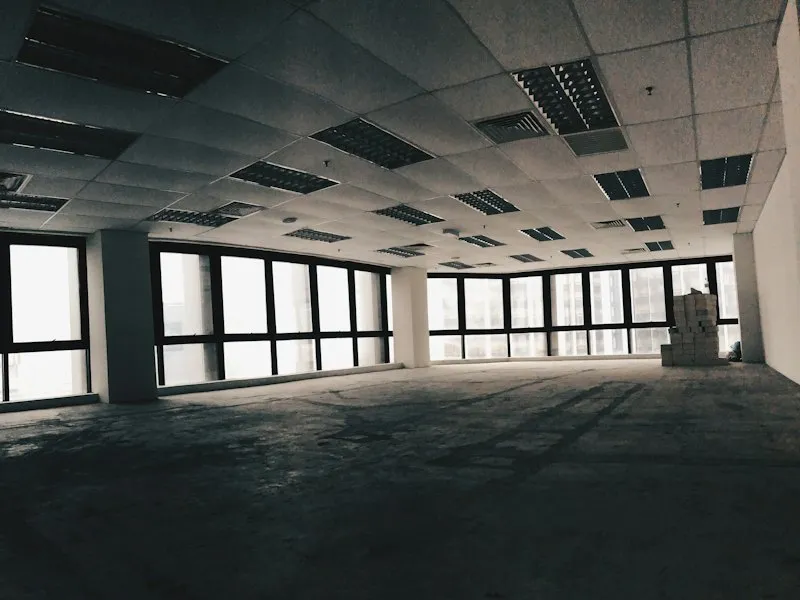
A person on the office floor or in the server room after hours is an alert with a picture and a clip.
Set working hours and closed dates once. The office arms itself in the evening and on holidays.
While you're open, know when nobody is at the front desk.
Add each branch as a location, give each admin their own, and see live view and reports for all of them.
On paid plans, type what to watch for in your own words and the AI checks the camera for it.
A camera that goes offline, or has its lens covered while the office is armed, is an alert too. On Hikvision and Dahua type recorders, so is a failed hard disk.
No cameras to buy, no technician visit. Just your CCTV recorder's login, or we'll set it up with you.
Pick your CCTV recorder's brand and enter its login. Don't have it? We'll connect it with you on a free call.
Draw around the shutter, the back gate or the cash counter, and pick the hours to watch it.
WhatsApp, then a call, then the next person, until someone responds. Open the picture and clip, and mark it seen or a false alarm.
The rooms that hold what is hard to replace: the server or network room, the finance cabin, the laptop storage cupboard, and the entrance. Office break-ins and after-hours walk-ins go for laptops and whatever is in the drawers, and the open floor is where both sit.
With GoKavach you draw an area on each camera and it alerts when a person is inside it while the office is armed. The server room is watched from the moment the office arms; areas raise no alert while the office is open. Intrusion detection explains what counts as a person in an area.
Set the hours to the office's real day, not its official one. If cleaners come from 7 to 9 in the evening, close the opening hours at 9, and the office arms after they leave. Admins get a reminder if the office is still disarmed 30 minutes after closing time.
Someone who stays past that will raise an alert, and the first contact marks it seen from the notification. GoKavach also records when the office really opened and closed each day, which tells you how often the late nights happen.
A few daytime checks are useful in an office:
Yes. Offices usually have IP cameras on a network recorder, and GoKavach reads either the recorder's stream or each camera's own RTSP address. There are presets for Uniview, Axis, Hikvision, Dahua and others, and any RTSP URL can be pasted in.
Office networks rarely allow port forwarding. The site connector avoids it: it runs on one always-on computer inside the network and only makes an outgoing connection, so the firewall needs no inbound rule.
Count the cameras you need alerts from, not every camera in the building. A small office covering the entrance and the server room fits the Starter plan, with 2 cameras at $19 (₹999 in India) a month. A floor with 8 cameras and phone calls fits Pro. If you are comparing services, the guide on how to choose a CCTV monitoring service lists the questions to ask.
Camera by camera, around the rooms and not the whole picture. A typical office has a camera on the entrance, one or two over the open floor, one in the corridor and one in or outside the server room. Draw the entrance area from the inside of the door to the reception desk. On the open floor, draw around the desk blocks and the laptop cupboard and leave out the window wall, so reflections and the street below stay outside it.
A camera that looks through a glass door at the lift lobby or a shared corridor needs care. If you leave it with no area, it alerts on anyone in its view while the office is armed, including other tenants walking past. Either draw an area that stops at your own door or switch intruder alerts off on that camera and keep it for live view. The guide to setting up detection zones shows both.
Put the person who can tell a colleague from a stranger first, then the people who can act. For most offices that is the office admin or facilities lead, then the IT lead for the server room, then the building's security desk if it has a phone that is answered at night, then a director. There is no cap on the number of people, and each is tried in turn.
With the default gaps, each person's channels are a minute apart and the next person is tried 2 minutes after that. The round stops as soon as someone marks the alert Seen or False alarm, which they can do from the notification or the email, or Resolved in the app. Alert escalation covers the gaps and the repeat. Anyone who shouldn't be woken for routine alerts can set quiet hours on their own contact.
Take an office on the Pro plan with opening hours of 8:30 to 21:00, so the cleaners are gone before it arms.
GoKavach can't see a camera it can't reach, and it tells you so. If the office connection, the recorder or the computer running the site connector stops, each camera is reported offline after the delay you set, 1 minute by default. That alert is sent at any hour, armed or open, and the cameras are marked online again when the stream returns.
Office IT work is the usual cause: a firewall change, a switch reboot, a recorder moved to another VLAN. Put the IT lead on the list for offline alerts so the person who made the change hears about it. The recorder keeps recording to its own disk throughout; only the alerts pause.
GoKavach is AI monitoring for the CCTV cameras you already have. It watches Hikvision, Dahua, CP Plus and almost any other brand around the clock and, when someone is where they shouldn't be, alerts you within seconds: in the app and by email on every plan, by WhatsApp and SMS on paid plans, and by phone call on the larger ones.
What owners ask before they connect their first camera.
Yes, if they are in an armed area after the hours you set. The first contact sees the picture, recognises a colleague and marks it seen. If late work is routine on some days, extend that day's hours so the office arms later.
Yes, on the Business plan. Webhooks send alerts to Slack, Microsoft Teams, Telegram or any system that accepts JSON, alongside the usual app, email, WhatsApp and phone-call alerts to the people on the list. The same plan has an API if IT wants alerts in its own ticketing tool.
Building security watches the lobby and the lifts, not the inside of your suite. GoKavach watches your own cameras on your own floor and tells your own people. The two cover different doors, and the building's desk can be added to your alert list if it has a phone.
It can monitor the cameras you control. In a shared space that is usually your own cabin or suite. Members come and go at all hours in common areas, so switch intruder and loitering alerts off on the cameras over them and keep alerts to private rooms and storage.
Yes, in one of two ways. Leave the office armed all the time by setting no opening hours, and draw areas only around rooms the night shift doesn't use, such as the server room and the finance cabin. Switch intruder and loitering alerts off on cameras that see the night shift at work: with no area drawn, both watch the whole view while armed. Or set opening hours to the staffed hours. Reception-left-empty alerts only run while the office is open, so the first way goes without them.
Alert pictures and clips are kept 30 to 180 days depending on the plan. Each clip runs from before to after the moment, and an alert can be shared with building security or the police by a link that works for 48 hours.
Still have questions? connect@gokavach.com
Every plan watches every camera around the clock, with intruder alerts in the hours you set. Bigger plans add cameras, people, phone-call alerts and longer storage of alert clips.
Try it on one camera, for as long as you like.
$0
The same in every country
Free forever
For one shop or home.
$19 /month
₹999/month in India
Renews until you cancel
For businesses with a few locations.
$49 /month
₹2,499/month in India
Renews until you cancel
For many locations and larger teams.
$129 /month
₹6,999/month in India
Renews until you cancel
Paid plans start the day you upgrade. Switch or cancel any time from Settings; after cancelling, your plan runs to the end of the paid period, then moves to Free. Prices exclude taxes.
In a free 15-minute call we connect one of your cameras and send a live test alert to your phone. Or start free on your own.