
Movement after hours
Someone at reception or in the medicine store at night is a WhatsApp with the picture, then a call to the person on duty.
GoKavach is CCTV monitoring for clinics and pharmacies that works on the cameras already installed. It checks each camera every few seconds and, when someone is at reception, in the medicine store or at the back door after closing, sends the person on duty a WhatsApp with the picture, then a phone call on Pro or Business, then tells the next person.
Free forever for 1 camera · no card · uses your cameras
Free: app and email alerts. WhatsApp from Starter (₹999 a month in India), phone calls from Pro. See plans
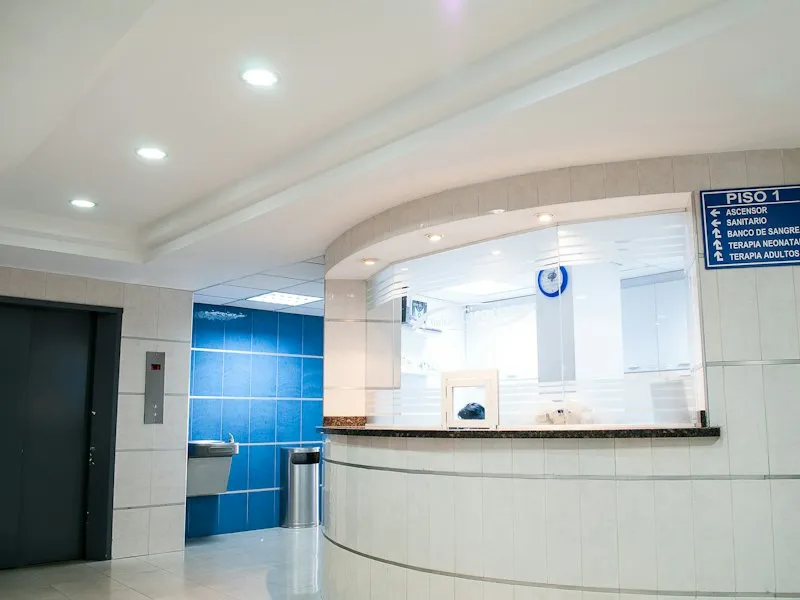
Someone at reception or in the medicine store at night is a WhatsApp with the picture, then a call to the person on duty.
Watch the store room and the cash drawer, not the waiting area in the daytime rush.
While you're open, know when nobody is at the reception desk or the pharmacy counter.
A picture and a clip from before to after, kept 30 to 180 days depending on your plan.
One press in the app raises a critical alert with the camera's picture. Each person on your list is told on all their channels together, one person after another.
A cut wire, a switched-off recorder, a covered lens or, on supported recorders, a failed hard disk is an alert too, so you don't learn afterwards that nothing was recorded.
No cameras to buy, no technician visit. Just your CCTV recorder's login, or we'll set it up with you.
Pick your CCTV recorder's brand and enter its login. Don't have it? We'll connect it with you on a free call.
Draw around the shutter, the back gate or the cash counter, and pick the hours to watch it.
WhatsApp, then a call, then the next person, until someone responds. Open the picture and clip, and mark it seen or a false alarm.
Monitor the places that hold medicines, cash and records: the medicine store or dispensary shelves, the reception desk with its cash drawer, the back door and the corridor to the consulting rooms. These are the spots a break-in heads for, and they are empty every night.
In GoKavach each of those is an area you draw on the camera picture. Intrusion detection alerts when a person is inside an armed area, and the clinic arms itself from its opening hours, including a lunch closure or a split morning and evening session if you set two windows a day.
It adds very little to what the recorder already does. GoKavach reads a picture from each connected camera every few seconds and deletes it within minutes unless it belongs to an alert. Only alert pictures and clips are kept, and with the clinic armed only after hours, those show an empty building with someone in it who shouldn't be.
You also choose which cameras to connect. Connect reception, the store and the doors, and leave consulting-room cameras, if there are any, off the list. GoKavach doesn't recognise faces, and the data isn't sold or used for advertising. Your own privacy rules for cameras still apply as before.
Two daytime alerts suit a front desk and a dispensing counter, and a third starts when the clinic arms:
The person who can get there or make a decision fastest. For a single-doctor clinic that is often the practice manager first and the doctor second, so the doctor is only disturbed if the manager doesn't respond. A pharmacy usually lists the pharmacist in charge, then the owner.
Each contact can set quiet hours for routine alerts, and critical alerts still come through. If you want alerts on WhatsApp with the picture attached, the WhatsApp alerts guide shows the setup.
A door-contact alarm tells you a door opened; it can't show you who is inside or whether it was the cleaner. Camera monitoring sends the picture with the alert, so you decide in seconds. The comparison with an alarm system goes through both. On cost, free forever for 1 camera, and a small clinic with 2 cameras fits the Starter plan at $19 (₹999 in India) a month.
Enter each session as its own window and the clinic arms in the gaps. A clinic that sees patients from 9 AM to 1 PM and 5 PM to 9 PM sets two windows a day. It is open during both, armed from 1 PM to 5 PM, and armed again from 9 PM to the next morning. Public holidays go in as closed dates, and the clinic stays armed through them.
The split matters because the alerts differ. Intruder, loitering and tampering alerts are raised only while armed. The desk-left-empty alert is raised only while open. Camera offline alerts and the panic button work at any hour. A pharmacy attached to a hospital that never closes sets no opening hours, stays armed, and draws areas only around the store room and the back door, which gives intruder alerts there but no desk-left-empty alert.
The practice manager sees the picture within seconds and can tell a colleague fetching stock from a stranger. Say the morning session ended at 1 PM and the clinic armed. At 3:10 a person walks into the area drawn in front of the dispensary shelves. On a paid plan that camera is checked every 5 seconds, and once a second during motion, and the person is seen in 2 of the last 3 checks.
The manager gets the app notification and a WhatsApp with the picture. If it is the nurse who came in early, the manager taps False alarm or Seen and nothing else happens. If the manager doesn't respond, their next channel follows after 1 minute, and the doctor is tried after a 2-minute gap. The alert keeps a clip from before to after, which is the record to hand over if medicines are missing.
A consulting clinic with one camera at reception and one on the store fits Starter: 2 cameras and 2 team members, with WhatsApp and SMS. A clinic that also covers the back door, the corridor, the pharmacy counter and the car park needs Pro, with 8 cameras and 4 team members, and phone calls for the nights nobody reads a message.
Count team members by who needs to sign in. The panic button is pressed in the app by a team member whose role lets them handle alerts, so the receptionist needs one of those seats. People who only need to be told at night can be contacts on the alert list instead, which has up to 10 escalation steps and needs no login.
GoKavach is AI monitoring for the CCTV cameras you already have. It watches Hikvision, Dahua, CP Plus and almost any other brand around the clock and, when someone is where they shouldn't be, alerts you within seconds: in the app and by email on every plan, by WhatsApp and SMS on paid plans, and by phone call on the larger ones.
What owners ask before they connect their first camera.
Yes. Set the pharmacy's real hours, including late nights, and it arms itself only after closing. The store room behind the counter is watched from then too. An area's own schedule can only shorten its armed hours; it can't make the store room alert while the counter is open.
They will if they are in an armed area during armed hours. Either add the cleaning window to the opening hours so the clinic arms after they leave, or keep it armed and let the first contact mark those alerts seen. Admins are reminded if it is still disarmed 30 minutes after closing.
Any team member whose role lets them handle alerts: owner, admin or operator, not viewer. They press it in the app at a camera they choose. The app notification goes out straight away, then each person on the list is told on each of their channels about 30 seconds apart, quiet hours ignored. It does not contact the police.
Only if the clinic's internet has no public address for the recorder. In that case a small connector app runs on any always-on computer at the clinic, including a Raspberry Pi, and makes an outgoing connection only. If the recorder is reachable directly, nothing needs to be installed.
Yes. Each branch is a location with its own opening hours, cameras and people. A branch manager can be limited to their branch, and the owner sees alerts, live view and reports for every branch in one place. The plan's camera allowance is shared across the branches.
Yes. Each camera chooses which kinds of alert it watches for. Switch intruder alerts off on the waiting-room camera and it raises none, while it can still report going offline. If you want it watched at night only, leave intruder alerts on: the clinic arms from its opening hours, so patients in the daytime raise nothing.
Still have questions? connect@gokavach.com
Every plan watches every camera around the clock, with intruder alerts in the hours you set. Bigger plans add cameras, people, phone-call alerts and longer storage of alert clips.
Try it on one camera, for as long as you like.
$0
The same in every country
Free forever
For one shop or home.
$19 /month
₹999/month in India
Renews until you cancel
For businesses with a few locations.
$49 /month
₹2,499/month in India
Renews until you cancel
For many locations and larger teams.
$129 /month
₹6,999/month in India
Renews until you cancel
Paid plans start the day you upgrade. Switch or cancel any time from Settings; after cancelling, your plan runs to the end of the paid period, then moves to Free. Prices exclude taxes.
In a free 15-minute call we connect one of your cameras and send a live test alert to your phone. Or start free on your own.