
The front glass and shutter
A person at the window or a vehicle pulled up against the front after closing is an alert with the picture, then a call.
GoKavach is CCTV monitoring for liquor stores that uses the cameras and recorder already installed. After closing it checks the front glass, the delivery door and the stockroom every few seconds. When a person or a vehicle is there, it sends the owner a WhatsApp with the picture, then a phone call on Pro or Business, then tells the next person.
Free forever for 1 camera · no card · uses your cameras
Free: app and email alerts. WhatsApp from Starter (₹999 a month in India), phone calls from Pro. See plans
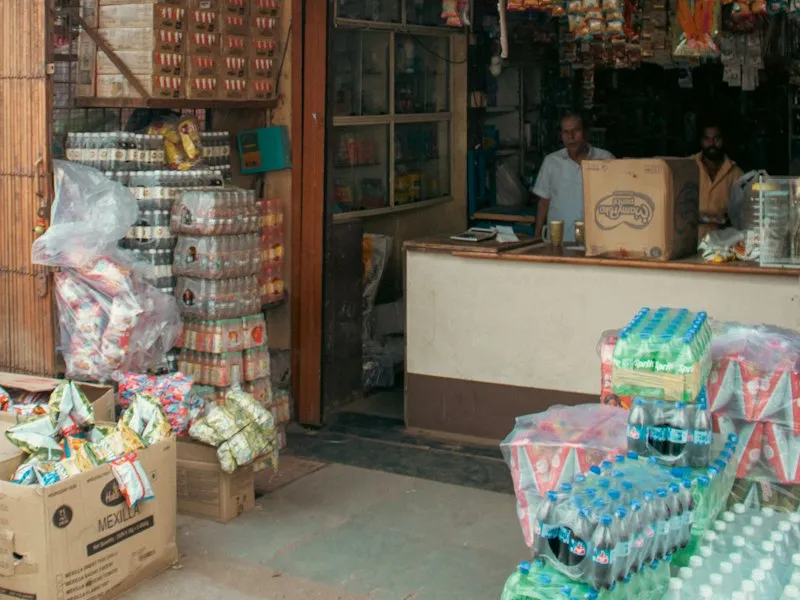
A person at the window or a vehicle pulled up against the front after closing is an alert with the picture, then a call.
Draw around the stockroom door and the locked spirits cabinet. They are watched once the store has closed and armed; areas raise no intruder alert during trading hours.
Draw a line across the back yard or the delivery bay. Someone crossing it after hours is told to you before they reach the door.
During opening hours, hear about it when nobody has been behind the till for 5 minutes.
A person who stays by the entrance for about 2 minutes once the store has armed is flagged, before anyone touches the shutter.
A picture and a clip from before to after, kept 30 to 180 days depending on plan, with a link you can share for 48 hours.
No cameras to buy, no technician visit. Just your CCTV recorder's login, or we'll set it up with you.
Pick your CCTV recorder's brand and enter its login. Don't have it? We'll connect it with you on a free call.
Draw around the shutter, the back gate or the cash counter, and pick the hours to watch it.
WhatsApp, then a call, then the next person, until someone responds. Open the picture and clip, and mark it seen or a false alarm.
GoKavach watches the store's cameras for you once the door is locked. A liquor store's stock is small, easy to carry and easy to sell on, so a break-in is over in a few minutes. A recording watched the next morning shows what went; an alert while it is happening gives someone the chance to act.
You draw an area on each camera: the front glass, the aisle with the spirits, the stockroom door, the yard behind. GoKavach looks for people and vehicles in those areas and nothing else. Its person detection needs to see someone in 2 of the last 3 checks before it alerts, so headlights sweeping the window don't set it off.
Four places account for most of the risk once the store is shut:
During trading hours GoKavach raises no intruder alerts. The open-hours alert that suits a liquor store is the counter left empty. Someone lingering at the door and a person in the stockroom area are watched once the store closes and arms; they raise nothing during trading hours.
Staff who handle alerts also get a panic button in the app. Pressing it raises a critical alert that reaches each contact for the store in turn, on each of their channels about 30 seconds apart. It is a way to tell your own people quickly, not a line to the police.
Whoever you put first, then the next person if they don't respond. A common order is the owner, then the store manager, then a family member or neighbouring trader. Each gets a WhatsApp with the picture, then a phone call on plans that include calls. The round can repeat until someone marks the alert seen, resolved or a false alarm. The phone call guide explains the order in detail.
The first camera is free forever with email and app alerts. Paid plans start at $19 (₹999 in India) a month and add WhatsApp and SMS. Phone calls come with the Pro plan, which covers 8 cameras and suits a store with a front, an aisle, a till, a stockroom and a yard camera. There is nothing to install apart from, in some stores, a small connector app on the office computer.
An alarm contract is the usual alternative. The two do different jobs, and the page on AI monitoring versus an alarm system sets them side by side.
The owner is told about the van before anyone is inside. Take a store on the Pro plan with the default timings, closed at 10 PM and armed from its opening hours. The pavement camera has a vehicle area tight against the shopfront; the aisle camera has a people area across the floor.
The pavement camera needs the tightest area, because it shows the most public space. A camera with no area alerts on a person anywhere in its view while the store is armed, and outside a liquor store that means everyone walking home at midnight.
Check the night picture through the glass first. With the shop lights off and a street lamp outside, an inside camera facing the window can show a bright pane and a dark floor, and a person against the glass is hard to make out. Leave one light on over the spirits aisle, or rely on a camera that looks along the aisle with the window to its side.
Check where the recorder is. Under the counter it is the first thing a thief may take, and with it go the recorder's own footage. GoKavach's alert pictures and clips are kept in your account for 30 to 180 days depending on plan, so they survive it. Put the router and the recorder in the stockroom if you can. Then set the offline delay short, test an alert by walking in after closing, and confirm the second person on the list is tried when you ignore it.
GoKavach is AI monitoring for the CCTV cameras you already have. It watches Hikvision, Dahua, CP Plus and almost any other brand around the clock and, when someone is where they shouldn't be, alerts you within seconds: in the app and by email on every plan, by WhatsApp and SMS on paid plans, and by phone call on the larger ones.
What owners ask before they connect their first camera.
It tells you when a person is in an area you marked while the store is closed, such as the shop floor, the stockroom or the yard. You get a picture within seconds, and a clip from before to after. It detects the person, not the broken glass or the forced lock.
Only if you ask for it. Draw the vehicle area tight against the shopfront and leave the road and the parking bays out. A car has to be inside that area in 2 of the last 3 checks. If one spot keeps causing false alarms, one tap tells GoKavach to ignore it.
Yes. Each store is a location in the same account, and a team member can be limited to the locations you choose. The manager sees and answers alerts for their own store only, while the owner sees all of them together.
Not necessarily. An alarm reacts to a door contact or a motion sensor and sounds on site. GoKavach looks at the camera picture and tells people, with proof of who is there. You can keep both, and an insurer may require an alarm regardless.
Only if the camera has its own siren and light and is a Dahua or CP Plus model, or a Hikvision or Prama one added directly, or a siren wired to a Hikvision or Prama recorder's alarm output. GoKavach can then sound it for 15 seconds from the alert, or automatically when nobody acknowledges in time. Other cameras can't do this.
Pro. It covers 8 cameras and 4 team members, and it is the first plan with automated phone calls, which matter for a break-in at night. Starter covers 2 cameras with WhatsApp and SMS, enough for the front and the stockroom. The Free plan covers one camera with email and app alerts and never expires.
Still have questions? connect@gokavach.com
Every plan watches every camera around the clock, with intruder alerts in the hours you set. Bigger plans add cameras, people, phone-call alerts and longer storage of alert clips.
Try it on one camera, for as long as you like.
$0
The same in every country
Free forever
For one shop or home.
$19 /month
₹999/month in India
Renews until you cancel
For businesses with a few locations.
$49 /month
₹2,499/month in India
Renews until you cancel
For many locations and larger teams.
$129 /month
₹6,999/month in India
Renews until you cancel
Paid plans start the day you upgrade. Switch or cancel any time from Settings; after cancelling, your plan runs to the end of the paid period, then moves to Free. Prices exclude taxes.
In a free 15-minute call we connect one of your cameras and send a live test alert to your phone. Or start free on your own.