
Someone at the gate at night
A person in the area you drew at the gate, the side passage or the back door while the house is armed is an alert with the picture.
A home CCTV monitoring service watches the cameras at your house and tells someone when a person is where they shouldn't be. GoKavach does it with the cameras you already have: it watches the gate, drive and doors at night and while you're away, and sends the picture to you and the next family member if you don't respond.
Free forever for 1 camera · no card · uses your cameras
Free: app and email alerts. WhatsApp from Starter (₹999 a month in India), phone calls from Pro. See plans
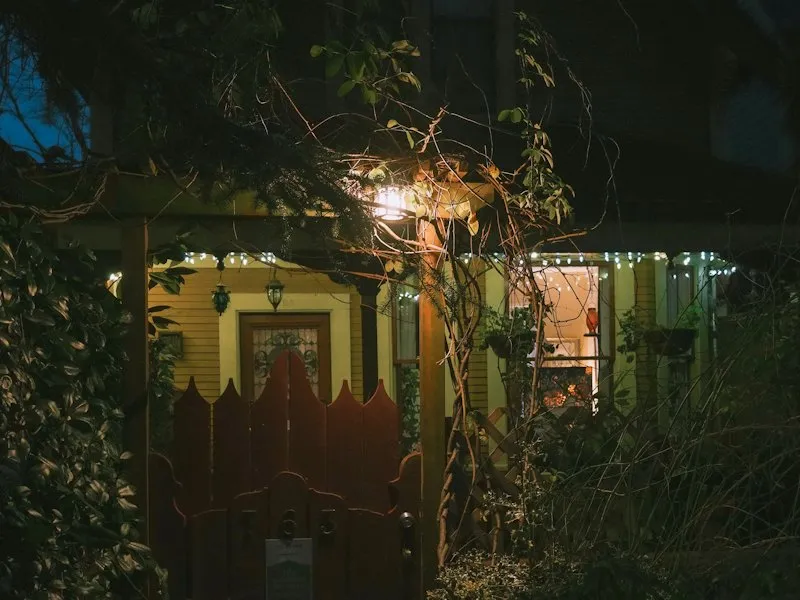
A person in the area you drew at the gate, the side passage or the back door while the house is armed is an alert with the picture.
Add closed dates for a trip and the house stays armed all day, not only at night.
Indoor cameras and the ones that see the family's own comings and goings have intruder alerts off.
A vehicle pulling onto the drive at 3 AM is detected separately from people, so you choose which matters.
You first, then your partner, then a neighbour, until someone marks the alert seen.
A cut cable, a switched-off recorder or a dropped internet line is an alert too, after the delay you choose.
No cameras to buy, no technician visit. Just your CCTV recorder's login, or we'll set it up with you.
Pick your CCTV recorder's brand and enter its login. Don't have it? We'll connect it with you on a free call.
Draw around the shutter, the back gate or the cash counter, and pick the hours to watch it.
WhatsApp, then a call, then the next person, until someone responds. Open the picture and clip, and mark it seen or a false alarm.
It watches the cameras when nobody in the family is, and tells someone while it is happening. Most home CCTV records to a DVR or NVR and is only looked at the morning after. Some recorders push motion alerts to an app, but those fire on cats, headlights and rain, so families mute them within a week.
There are two kinds of service. A staffed monitoring centre has people who look at the alarm and call you or a keyholder, for a monthly fee and usually a contract. A self-monitored service, which is what GoKavach is, does the watching with AI and sends the picture to the family and anyone you add. The guide to self-monitoring versus professional monitoring sets the two side by side.
By arming the house only when the family isn't moving about outside, and by keeping cameras that see the family out of intruder alerts. Intruder, loitering and line-crossing alerts run only while the house is armed. You set the hours the house is disarmed, up to four windows a day, such as 6:30 AM to 11 PM, and it arms itself the rest of the time.
An area on a camera can have its own weekly schedule, but that can only narrow the armed time, never arm it while the house is disarmed. A camera with no area drawn alerts on anyone in view while armed, and loitering runs in every area on a camera while armed, whatever that area's schedule says.
Any camera that sees the family going about its night. An indoor camera in the hall or living room will see someone fetching water at 2 AM, and the house is armed then. Switch intruder alerts off on it, or leave it unconnected; it can still raise an offline alert.
Outside, draw areas where nobody in the family has reason to be at night: the side passage, the back door, the gate from the lane, the shed. Leave out the porch light where a teenager comes home late, and the path to the garage if someone leaves for an early shift. If the dog sleeps in the yard, leave animals off for that area.
Two ways, and most homes use both. The weekly schedule handles the ordinary day: armed overnight and, if the house is empty on weekdays, through working hours too. The arm switch handles the exceptions: disarm for 1, 2, 4 or 8 hours while a gardener or guests are in the yard, and the house arms itself when the time runs out, or disarm until you arm it again.
A change made by hand holds until the next scheduled change. If the house is still disarmed 30 minutes after the evening's arming time, owners and admins get a reminder. Arming and disarming need the owner or admin role, so give the teenagers viewer access. The automatic arming schedule page covers the detail.
Whoever you put first, then the next person, until someone responds. Each person's channels are tried in their own order, 60 seconds apart by default, and the next person is tried 2 minutes later. Up to 10 steps can be set, and a contact needs only a name and a phone number or email, so a neighbour or a relative nearby can be on the list without an account.
App and email alerts come on every plan; WhatsApp and SMS from Starter; an automated phone call only on Pro and Business, which is what wakes someone who sleeps through a message. Anyone can set quiet hours for routine alerts, while critical ones still come through. The SMS is text only; the picture comes by WhatsApp, app and email.
Take a house on Pro with the default timings, armed since 11 PM. The back camera is checked every 5 seconds, and once a second as soon as something moves. A person steps into the back-door area and is seen in 2 of the last 3 checks.
Within seconds the father's phone shows a WhatsApp with the picture. A minute later, still unanswered, his next channel is a phone call, which wakes him. He opens live view, sees the man still at the door, switches on the lights and phones the police. Had he slept through it, the mother would have been tried two minutes later, then the neighbour. The clip stays with the alert.
Count the cameras worth an alert, not every camera on the recorder. One camera on the gate fits Free: 1 camera, 1 team member, app and email alerts, free for as long as you like. A front and a back camera fit Starter, with 2 cameras, 2 team members, WhatsApp and SMS, for $19 (₹999 in India) a month.
A house with a gate, drive, side passage and back door, and a family that wants calls, fits Pro: 8 cameras and 4 team members. Alert pictures and clips are kept 30 to 180 days depending on plan. Recordings stay on your own recorder unless you add Cloud backup, a paid add-on that keeps a camera's video in the cloud for 7 days ($4 a camera a month) or 28 days ($14) on any paid plan.
The recorder's login and the house's internet. Home broadband rarely has a public address, so most houses use the site connector: an app on an always-on Windows 10 or 11, Mac or Linux computer at home, including a Raspberry Pi, that connects out with no router changes. The guide to viewing CCTV without a static IP explains why.
Any recorder or camera with an RTSP address works, including Hikvision, Dahua and CP Plus, and Wi-Fi cameras such as TP-Link Tapo once RTSP is switched on. A camera that only works in its maker's app can't be connected. Families who mostly want to watch on a phone should read how to connect CCTV to mobile first; flats and housing societies have their own page on apartment building monitoring, and a second house left empty for weeks is covered under holiday homes.
GoKavach is AI monitoring for the CCTV cameras you already have. It watches Hikvision, Dahua, CP Plus and almost any other brand around the clock and, when someone is where they shouldn't be, alerts you within seconds: in the app and by email on every plan, by WhatsApp and SMS on paid plans, and by phone call on the larger ones.
What owners ask before they connect their first camera.
If you have muted those app alerts, yes. The difference is what triggers them and who hears: GoKavach alerts on a person in the areas and hours you set, not on any movement, and moves on to the next person when you don't respond.
Yes. Give them the viewer role, which can watch cameras and alerts but can't arm, disarm or change settings. Owners and admins arm and disarm.
Only if you walk through an armed area. Leave your own route, such as the front path and porch, out of the areas, or disarm for an hour from the app before you arrive.
If the recorder has a public address or a DDNS name with the RTSP port forwarded, yes. Most homes don't, and then the site connector needs a small always-on computer. Alerts and live view reach your phone either way.
Only on Hikvision equipment, through a siren wired to alarm output 1 or the built-in siren of a camera added directly, and Dahua cameras with their own deterrence light and siren. It sounds for 15 seconds. No other camera can be sounded.
Your recorder records whatever it records today. GoKavach keeps only alert pictures and clips, and only from cameras you connect, so leaving indoor cameras unconnected keeps them out of it entirely.
Yes. A home DVR or NVR from Hikvision, Dahua or CP Plus connects with its own login, and also gets playback of its footage and a warning when its hard disk fails. The Hikvision page shows what each firmware supports.
Free forever for 1 camera, with app and email alerts. Starter is $19 (₹999 in India) a month for 2 cameras with WhatsApp and SMS, and Pro adds calls and 8 cameras. There is no contract and no hardware to buy; paying yearly costs the same as 10 months.
Still have questions? connect@gokavach.com
Every plan watches every camera around the clock, with intruder alerts in the hours you set. Bigger plans add cameras, people, phone-call alerts and longer storage of alert clips.
Try it on one camera, for as long as you like.
$0
The same in every country
Free forever
For one shop or home.
$19 /month
₹999/month in India
Renews until you cancel
For businesses with a few locations.
$49 /month
₹2,499/month in India
Renews until you cancel
For many locations and larger teams.
$129 /month
₹6,999/month in India
Renews until you cancel
Paid plans start the day you upgrade. Switch or cancel any time from Settings; after cancelling, your plan runs to the end of the paid period, then moves to Free. Prices exclude taxes.
In a free 15-minute call we connect one of your cameras and send a live test alert to your phone. Or start free on your own.