
The empty weeks
Between one checkout and the next arrival the house is armed, and a person at the gate, the porch or the back door is an alert with the picture.
GoKavach is CCTV monitoring for holiday homes that uses the outdoor cameras the house already has. In the weeks the house stands empty it checks the gate, the drive and the doors every few seconds, and sends the owner, the caretaker or a neighbour a picture by WhatsApp, then a phone call on Pro or Business, when someone is there.
Free forever for 1 camera · no card · uses your cameras
Free: app and email alerts. WhatsApp from Starter (₹999 a month in India), phone calls from Pro. See plans
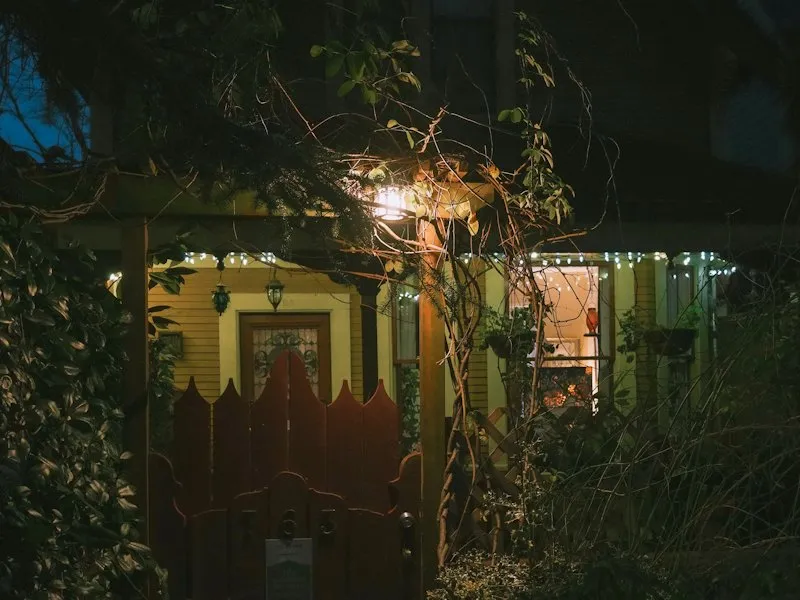
Between one checkout and the next arrival the house is armed, and a person at the gate, the porch or the back door is an alert with the picture.
A car or van that pulls onto the drive when nobody is booked is detected as a vehicle, separately from people.
You may be hours away. Put the caretaker or a neighbour first on the list and yourself second.
Draw around the shed door, the boat on its trailer or the bike store, the things that are easy to take from an empty house.
A camera offline alert tells you the router or the power has dropped, which in an empty house can also mean the freezer.
GoKavach keeps alert pictures and clips only, unless you add the paid Cloud backup. Other frames are deleted within minutes.
No cameras to buy, no technician visit. Just your CCTV recorder's login, or we'll set it up with you.
Pick your CCTV recorder's brand and enter its login. Don't have it? We'll connect it with you on a free call.
Draw around the shutter, the back gate or the cash counter, and pick the hours to watch it.
WhatsApp, then a call, then the next person, until someone responds. Open the picture and clip, and mark it seen or a false alarm.
GoKavach checks the house's outdoor cameras while it stands empty and tells a person when someone turns up. A holiday home is occupied in bursts. For the rest of the year it is known locally to be empty, and the owner lives too far away to look in.
You draw areas on each camera: the gate, the drive, the front porch, the back door, the shed. While the house is armed, a person or vehicle in one of them is an alert with a picture and a clip. The first alert doesn't have to come to you. It can go to whoever is ten minutes away. For the house you live in, where the family is home most nights, see home CCTV monitoring instead.
By disarming the house while it is in use. A location with no opening hours stays armed, which suits a house that is empty most of the year. When guests check in, disarm it by hand in the app; at checkout, arm it again. It stays as you left it until someone changes it. While it is disarmed, nothing is sent for people coming and going.
Regular visitors fit through each area's weekly schedule. If the gardener comes every Tuesday morning, give the garden and drive areas a schedule that leaves out Tuesday 8 AM to noon, and no intruder alerts come from them in those hours. Keep loitering off on those cameras, because it runs in every area while the house is armed, whatever the schedule. Avoid opening hours for this: a change made by hand holds only until the next scheduled opening or closing, so a weekly window would arm the house again in the middle of a guest stay. Arming and disarming need the owner or admin role. GoKavach doesn't read a booking calendar, so arming is yours to keep up to date.
For guests' privacy, use outdoor cameras only, tell guests in the listing where they are, and check the rules of the booking site you use. Interior cameras have no place in a house people are staying in.
The first person should be someone who can be at the house quickly. Owners usually choose a caretaker, a neighbour, the cleaning company or a local property manager, and put themselves next. Each person gets a WhatsApp with the picture, then a call on plans with calls, and the next person is told if they don't respond. That is alert escalation.
Because every alert has a picture, a neighbour can tell a delivery driver from someone trying the back door without walking over. A contact can mark the alert seen or a false alarm from the notification itself.
Home cameras work if they give an RTSP address. Several home brands do, including TP-Link Tapo and many Ezviz models, once it is switched on in the camera's settings. A wired system on a small recorder works too.
A camera or doorbell that only works through its maker's own app can't be connected. If you're not sure which kind you have, the guide to finding an RTSP URL shows where to look. A holiday home's broadband rarely has a fixed address, so plan on the connector app, running on a small always-on computer left at the house.
The Free plan covers 1 camera with email and app alerts and never expires, so one camera on the drive costs nothing. The Starter plan is $19 (₹999 in India) a month for 2 cameras and 2 team members, with WhatsApp and SMS, which covers the front and the back with you and a caretaker as contacts. Paying yearly costs the same as 10 months.
If you would otherwise pay for a monitored alarm, the comparison of self-monitoring and professional monitoring sets out what each gives you.
The neighbour gets the picture within seconds and you are tried a few minutes later if they don't react. Take a house on the Starter plan with the default timings, armed since the last checkout. On a Wednesday at 2:20 PM a van turns onto the drive.
A camera that shows a lane, a footpath or a neighbour's garden needs an area that leaves those out. While the house is armed, a camera with no area alerts on a person anywhere in its picture, and walkers on a coastal path or a shared track would ring the neighbour all day.
On the gate camera, draw the area on your side of the gate. On the drive camera, cover the drive and switch on people and vehicles. On the porch and back-door cameras, a small area at the door is enough. If the neighbour's cat or your caretaker's dog crosses the garden, leave animals off. A camera that only shows the view down the valley should have intruder alerts switched off; it will still report going offline, which tells you the power or the router has dropped.
Check the things nobody will be there to fix. The router, the cameras and the connector computer must come back by themselves after a power cut, so pull the plug once while you are there and watch whether the cameras return in the dashboard. Set the camera offline alert delay long enough to ride out a short flicker; it can be anything from none to an hour.
If the internet is a prepaid or seasonal line, keep it paid through the empty months. Look at each camera's night picture from your phone after dark, and trim any branch that will grow across the view by summer. Then test it: walk up the drive yourself while the house is armed and confirm that the neighbour is told before you are.
GoKavach is AI monitoring for the CCTV cameras you already have. It watches Hikvision, Dahua, CP Plus and almost any other brand around the clock and, when someone is where they shouldn't be, alerts you within seconds: in the app and by email on every plan, by WhatsApp and SMS on paid plans, and by phone call on the larger ones.
What owners ask before they connect their first camera.
You can leave it connected, but disarm the house for the stay so guests coming and going raise no alerts. Camera offline alerts still work; tampering alerts return when the house is armed again. Use outdoor cameras only and tell guests where they are before they book.
The next person on your list. Each contact is tried on their channels, then GoKavach moves on after the gap you set. You can also set quiet hours for yourself so routine alerts wait, while critical ones still reach you.
Not if the area is set to people and vehicles. GoKavach only alerts on the kinds of object you choose for each area. It recognises dogs, cats, cows, horses and sheep as animals, and a deer isn't on its list at all, so leave animals off.
Only if the house's internet has no public address, which is the usual case for home broadband. The connector runs on any small always-on computer, including a Raspberry Pi. It makes an outgoing connection only and needs no changes to the router.
No. It doesn't count guests against a booking, and using cameras to watch guests during a stay raises privacy problems of its own. GoKavach is for the periods the house is empty, and for knowing the cameras are still working while it is let.
A house with no opening hours stays disarmed until someone arms it, so make arming part of the checkout routine. A team member with the owner or admin role can do it from their phone. The reminder that a location is still disarmed 30 minutes after closing applies only when opening hours are set, so it won't prompt you here.
Still have questions? connect@gokavach.com
Every plan watches every camera around the clock, with intruder alerts in the hours you set. Bigger plans add cameras, people, phone-call alerts and longer storage of alert clips.
Try it on one camera, for as long as you like.
$0
The same in every country
Free forever
For one shop or home.
$19 /month
₹999/month in India
Renews until you cancel
For businesses with a few locations.
$49 /month
₹2,499/month in India
Renews until you cancel
For many locations and larger teams.
$129 /month
₹6,999/month in India
Renews until you cancel
Paid plans start the day you upgrade. Switch or cancel any time from Settings; after cancelling, your plan runs to the end of the paid period, then moves to Free. Prices exclude taxes.
In a free 15-minute call we connect one of your cameras and send a live test alert to your phone. Or start free on your own.