
People and vehicles at night
A person in the aisles or a vehicle at the loading gate after hours is an alert with a picture and a clip.
GoKavach is CCTV monitoring for warehouses and storage yards that uses the cameras already on the racks and gates. It checks each camera every few seconds through the night and, when a person or a vehicle is at the loading dock, in the aisles or at the yard gate, tells the supervisor first, then the owner.
Free forever for 1 camera · no card · uses your cameras
Free: app and email alerts. WhatsApp from Starter (₹999 a month in India), phone calls from Pro. See plans
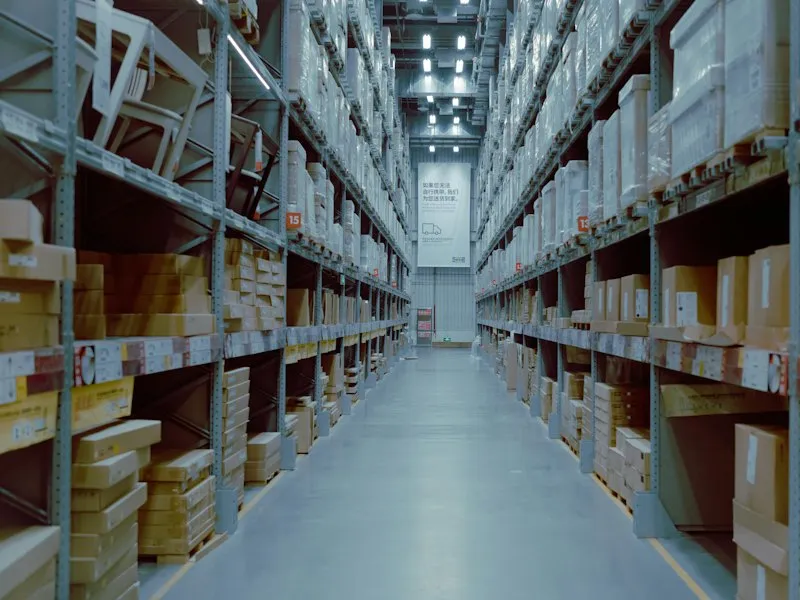
A person in the aisles or a vehicle at the loading gate after hours is an alert with a picture and a clip.
Draw a line across the gate or the boundary wall, and choose the hours it counts.
Each person is tried on WhatsApp, then by call on Pro and up, in the order you choose, and the round can repeat until someone marks the alert seen.
Add the supervisor of each warehouse and choose which locations each of them sees.
Someone who stays about 2 minutes at the gate, or more people in an area than you allow, is an alert while the site is armed.
A camera that goes offline is an alert on any shift. On Hikvision and Dahua type recorders, a failed or missing hard disk is an alert too, checked every 6 hours.
No cameras to buy, no technician visit. Just your CCTV recorder's login, or we'll set it up with you.
Pick your CCTV recorder's brand and enter its login. Don't have it? We'll connect it with you on a free call.
Draw around the shutter, the back gate or the cash counter, and pick the hours to watch it.
WhatsApp, then a call, then the next person, until someone responds. Open the picture and clip, and mark it seen or a false alarm.
Start with the ways stock leaves: the loading dock, the roller doors, the yard gate and any side door staff use for breaks. A warehouse, godown or distribution centre is too big to treat as one area, and most of its cameras look down long aisles where nothing should move at night.
In GoKavach you draw an area on each camera and choose what counts inside it. A typical warehouse sets these up:
It goes by the hours and the areas you set, not by who the person is. If the warehouse runs a night shift in the picking area, leave that area unarmed during the shift and keep the dock, the cage and the yard armed. Each area can follow its own weekly schedule, so a Saturday half-day or a late dispatch night doesn't need anyone to remember a switch.
GoKavach doesn't recognise faces or uniforms. A supervisor who walks into an armed area at midnight raises an alert like anyone else, and marks it seen from the notification.
The people you list, one at a time, in your order. Most warehouses put the night supervisor or the nearest keyholder first, the warehouse manager second and the owner third. Each person is tried on WhatsApp with the picture, then by phone call on Pro or Business, and if they don't respond the next person is told. Alert escalation explains the timing, and the round can repeat until someone answers.
Every alert keeps the picture and a clip from before to after the moment, for 30 to 180 days depending on your plan. That clip is what you show a transporter or an insurer when a pallet is disputed.
Yes, if the yard's recorder can be reached. GoKavach reads the recorder's RTSP stream, either directly when the site has a public address with the port forwarded, or through the site connector, a small app on any always-on computer at the yard. A Raspberry Pi beside the recorder is enough.
Larger sites usually run a network recorder; the NVR page covers adding all its channels at once. Open yards also need a usable night picture: if a camera shows only darkness beyond the first row of pallets, add a light there before relying on it.
It is priced by plan, not by camera. Free forever for 1 camera, and paid plans start at $19 (₹999 in India) a month. A single warehouse usually fits the Pro plan, which covers 8 cameras and adds phone calls. Sites with more than 16 cameras, such as a large distribution centre, are set up on an Enterprise plan by conversation. For a wider look at what to lock down, see the after-hours security checklist.
Intruder alerts are raised only while the warehouse is armed, so a site with a night shift has to be armed during that shift for the dock and the cage to be watched. There are two ways to do it.
A warehouse that closes, even for six hours, sets opening hours to the hours people work. It arms itself when the last shift ends, and admins are reminded if it is still disarmed 30 minutes later. A warehouse that runs around the clock sets no opening hours and stays armed. Draw areas only where the shift doesn't go: the cage, the returns bay, the yard fence, the dock doors that are shut at night. On cameras over the picking floor and the canteen, switch intruder alerts off, because a camera with no area drawn alerts on people anywhere in its view while armed.
Loitering needs the same care. It is watched in every area on a camera whatever the area's schedule, so switch it off on the dock camera if drivers wait there during the day in a warehouse that never disarms.
Take a warehouse on the Pro plan whose last shift ends at 22:00. The nearest keyholder is first on the list, the warehouse manager second and the owner third.
Check height, light and the network. Warehouse cameras are often mounted high to see over racking, which makes a person small and seen from above; the cameras by the doors, mounted lower, give better alerts. Dock and yard lights on a timer may go off at midnight, so look at the night picture after they do.
Then find where the recorder's network cable runs. In a warehouse the recorder often shares a switch with handheld scanners and printers that is powered down at the end of the shift. If that happens, GoKavach reports every camera offline after the delay you set, 1 minute by default, and the first night shows you.
GoKavach is AI monitoring for the CCTV cameras you already have. It watches Hikvision, Dahua, CP Plus and almost any other brand around the clock and, when someone is where they shouldn't be, alerts you within seconds: in the app and by email on every plan, by WhatsApp and SMS on paid plans, and by phone call on the larger ones.
What owners ask before they connect their first camera.
Not as vehicles, as a rule. GoKavach looks for cars, trucks, buses, motorcycles and bicycles. A forklift isn't on that list, though one can occasionally be taken for a truck. The driver is still a person, so a forklift moving through an armed area at night will alert because of the person on it, which is usually what you want.
Yes. Each warehouse is a location with its own hours, cameras and people. A supervisor can be limited to one location, while the owner or regional manager sees all of them, with live view and reports for each. The plan's camera allowance is shared across the warehouses.
It works on what each camera can see clearly. A person far down a long aisle is small in the picture and harder to detect, so aim monitoring at cameras covering doors, docks and choke points, where anyone entering has to pass close to the lens.
You get a camera offline alert after the delay you set, which is one minute by default. A lens that is covered, sprayed or turned away raises a tampering alert while the warehouse is armed. Both go to the people on the warehouse's alert list.
Yes. Give the dock its own schedule so it is unarmed during the delivery window and armed either side of it, and keep the rest of the building armed all night. If delivery times vary, loitering alerts at the gate still work through the night, since loitering is watched in every area while the site is armed, whatever the area's own schedule.
Count the cameras worth an alert, not the channels. The doors, the dock, the gate and the cage are usually 8 or fewer, which is Pro, with phone calls and 90 days of alert pictures and clips. The remaining aisle cameras stay on the recorder. All 16 channels fit the largest standard plan, and more is an Enterprise plan.
Still have questions? connect@gokavach.com
Every plan watches every camera around the clock, with intruder alerts in the hours you set. Bigger plans add cameras, people, phone-call alerts and longer storage of alert clips.
Try it on one camera, for as long as you like.
$0
The same in every country
Free forever
For one shop or home.
$19 /month
₹999/month in India
Renews until you cancel
For businesses with a few locations.
$49 /month
₹2,499/month in India
Renews until you cancel
For many locations and larger teams.
$129 /month
₹6,999/month in India
Renews until you cancel
Paid plans start the day you upgrade. Switch or cancel any time from Settings; after cancelling, your plan runs to the end of the paid period, then moves to Free. Prices exclude taxes.
In a free 15-minute call we connect one of your cameras and send a live test alert to your phone. Or start free on your own.